Lorcana card scanner: every chapter, foil or not, Enchanted included
Lorcana prints most cards twice, foil and non-foil, and hides its chase cards past the end of each set's numbering. CardLens is a Lorcana card scanner app for iPhone that reads the chapter, the card number, and the finish from a photo, matches Enchanted and promo prints, and shows a value range built on recent eBay sales with a condition grade.
Sample result. Values move with the market; the app shows the current range when you scan.
Foil or not?
The print, the price, and the condition, kept apart
A Lorcana card name is a character plus a title, and the same pairing can exist as a regular card, a foil, an Enchanted, and a promo. CardLens reports which one you hold, then prices that one.
01
The exact print
Chapter, card number such as 125/204, rarity, and finish. An Enchanted carries a number past the set size, like 207/204, and CardLens files it under its own entry. Promo prints from D23, Disney100, leagues, challenges, and Set Championships get their own entries as well.
02
A value range with eBay evidence
The range comes from what copies with the same chapter, number, and finish have been selling for on eBay, and the sales are one tap away. A foil Legendary and its non-foil twin rarely sell for the same money, and the range knows which one you scanned.
03
A condition grade
A raw estimate on the Near Mint to Damaged scale, and a read of the label on PSA, BGS, and CGC slabs. Cold foil shows surface scratches under a lamp, so a Near Mint foil earns its premium.
How a Lorcana card gets identified
Numbers past the set size, cold foil, and promos: what the scanner reads
Ravensburger keeps Lorcana's identifiers tidy, which makes the scanner's job clear: read the number, read the finish, and know which prints sit outside the normal count.
The card number and the chapter
Every card shows its number over the chapter's size in the bottom-left corner, 125/204 for a card in The First Chapter, with the chapter's symbol beside it. Rarity is a symbol in the same area, from the common marker up to the Legendary one. The number and chapter together name one print.
Chapters release on a roughly quarterly schedule, so the same character returns with a new title and a new number. The scanner matches on the number and the art, and reports the chapter with the match.
Foil is half the catalog
Almost every Lorcana card exists in a non-foil and a cold-foil version, and the foil is usually the version collectors pay for. The finish is easy to see in hand and easy to lose in a flat photo. CardLens reads the foil from the scan and prices the foil print against foil sales; if the light hides it, a second photo at an angle settles the question.
Enchanted cards use a distinct full-art foil treatment. Fabled, the ninth chapter, added Epic above Legendary and Iconic above Enchanted, each with its own treatment, and all of them are matched as their own prints.
Enchanted cards live past the end of the set
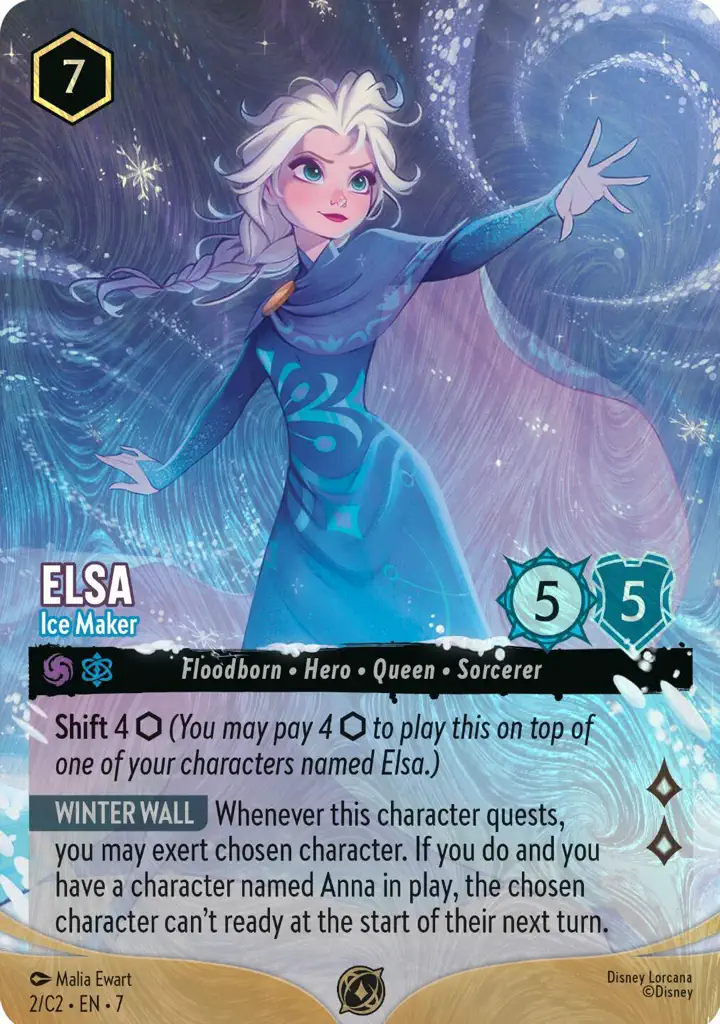
The chase cards in each chapter carry numbers beyond the printed set size: The First Chapter lists 204 cards, and its Enchanteds run from 205 upward. A lookup by name alone misses them. The scanner reads the number and knows that 207/204 is an Enchanted Elsa rather than a misprint, and since Fabled it also tells an Epic and an Iconic apart by their frames.
Enchanted prints are the most expensive booster cards in the game, so the match names the rarity clearly.
Promos: D23, Disney100, leagues, challenges, and Set Championships
Lorcana has printed promo cards since before The First Chapter shipped: D23 Expo cards, Disney100 foil variants, league and challenge cards, Set Championship promos, and Gateway promos. The Elsa above is a Challenge promo that exists only as a promo, and the Stitch below is a Set Championship print of a card whose booster version costs a dollar or two. Promos are priced far apart from booster copies.
The catalog holds promos as separate entries, and a scan of a promo says which event it came from.
Flat under a lamp, tilted just enough that the cold foil reads as foil while the ink cost and the number stay legible.
2
Confirm number and finish
Check the number in the corner and the finish on screen against the card. If you hold an Enchanted, the number will sit past the chapter size.
3
Read the range, save the card
The match names the chapter and number and says whether the print is foil or Enchanted, and the range comes from sales of that print. Save it and the vault total updates.
Before the next chapter
Three habits of Lorcana collectors who trade well
Tilt for cold foil
A slight tilt under a lamp shows the foil without washing out the text. The finish is part of the match, so a clear foil means the range comes from foil sales rather than the non-foil print.
Check the number past the set size
An Enchanted carries a number beyond the chapter count, like 207/204. If the match shows one, you are holding the chase card, and the eBay sales behind the range are Enchanted sales.
Save the whole chapter
Scanning a full chapter into the vault takes an evening and gives you a total worth checking. Reopen a saved card and its evidence refreshes from newer sales.
Questions
Lorcana card scanner questions, answered
Is there a Lorcana card scanner app for iPhone?
CardLens scans a Disney Lorcana card from a photo on iPhone, matches the chapter, number, and finish, and shows a value range built on recent eBay sales. It also saves cards to a collection.
Is there a Lorcana price checker app?
Scan the card and CardLens shows a value range built on recent eBay sales of the same chapter, number, and finish, with the sales listed. It works as a price checker for booster and promo prints.
Does the scanner know Enchanted cards?
Enchanted prints are in the catalog as their own entries with their numbers past the set size, and they are priced against Enchanted sales.
Can it tell a foil from a non-foil?
It has to; foil and non-foil are separate printings in the catalog, and the foil is priced against foil sales.
Which Lorcana chapters are supported?
The First Chapter to the current release, plus promo cards from D23, Disney100, leagues, challenges, Set Championships, and Gateway.
Can I track my Lorcana collection value?
Saved cards go into the vault with their match, condition grade, and value, and the vault shows a total across every game. Reopen a card and its range refreshes from newer sales.
Free on the App Store
Scan your first Lorcana card.
Free on the App Store. The First Chapter to the current release, foil and non-foil, with Enchanted and promo prints in the catalog.

 Stitch · Rock Star
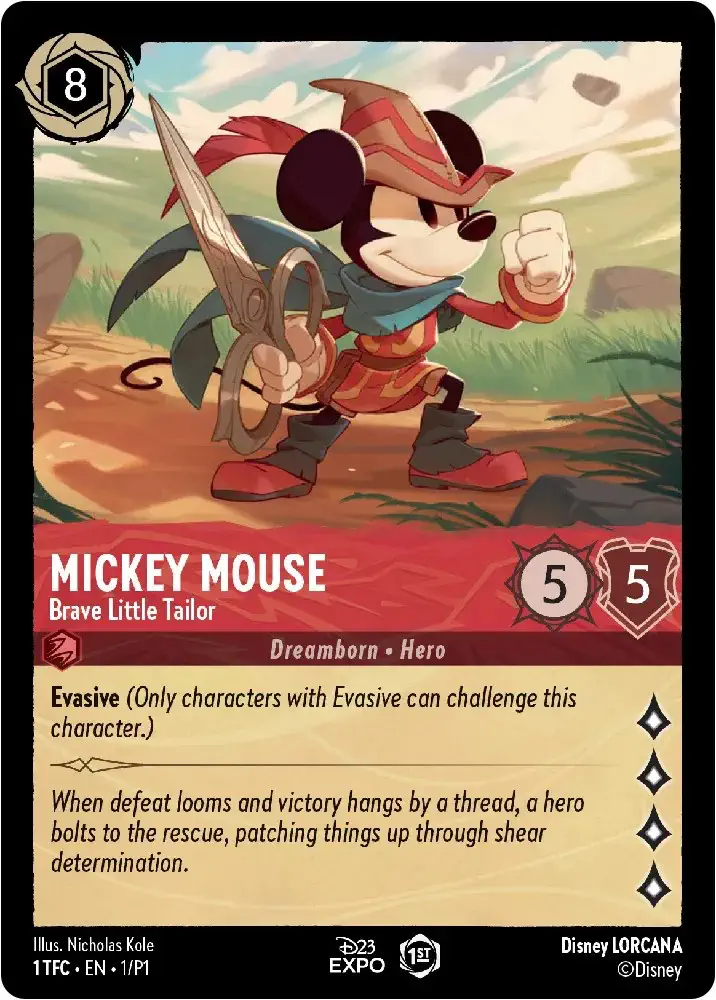 Mickey Mouse · Brave Little Tailor